


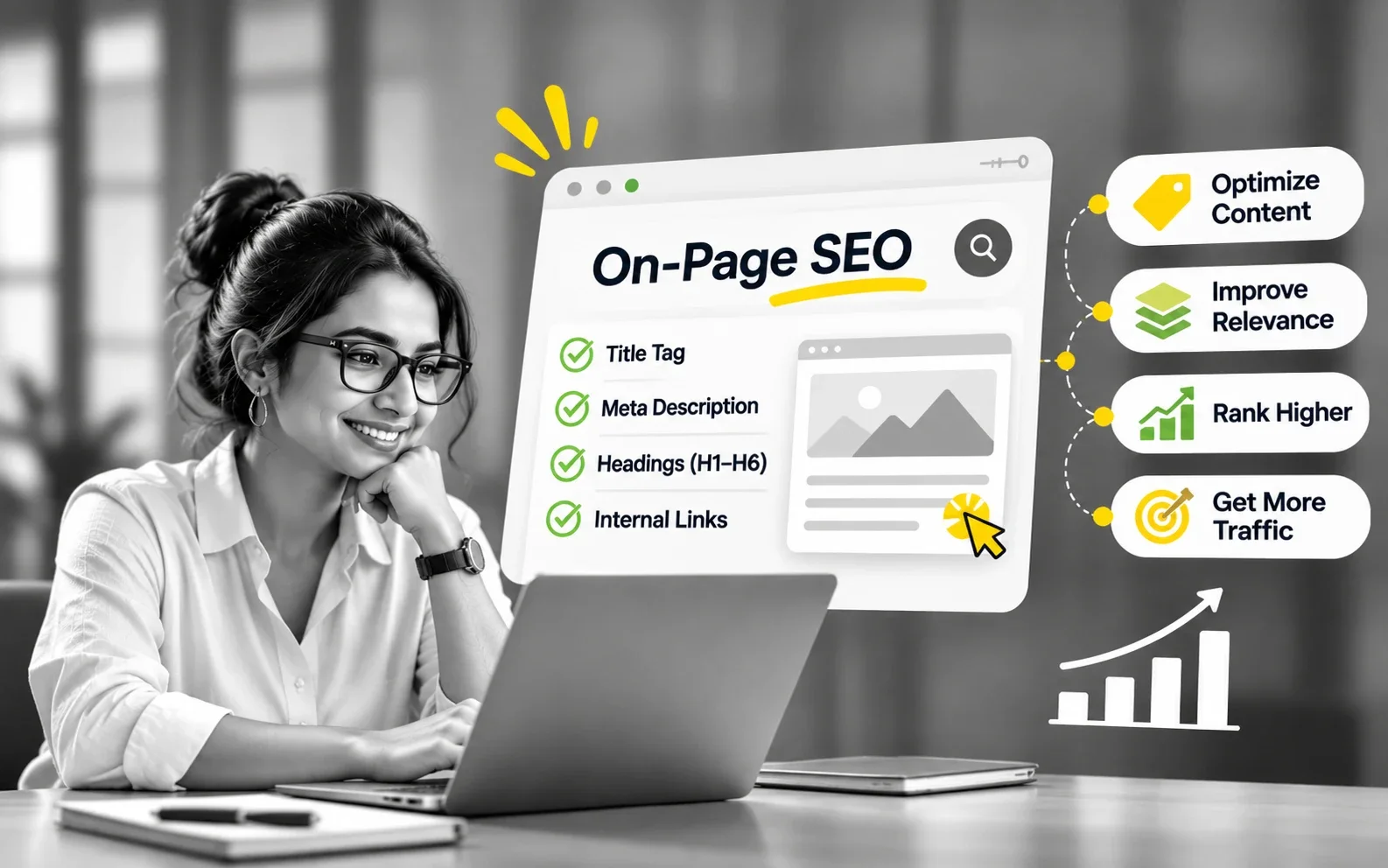
On-page SEO is the work you do on the page itself so that search engines understand it, people choose it in the results and AI tools can quote it. It covers the content, the title tag, the meta description, headings, the URL, internal links, images and structured data. Last week I changed one title on this site because a keyword tool showed the topic had almost four times the searches under a different name. That is on-page SEO in one small decision.
That's the short answer. Here's what on-page SEO includes, how to get each element right, the step-by-step process I use on every post, and, if you've done this for years, the framework I use to find what's actually broken.
Key takeaways
On-page SEO is everything you control on the page: the words, title tag, meta description, headings, URL, links, images and markup.
Start with search intent. A page in the wrong format won't rank, however well you tune its tags.
The title tag and the opening paragraph do the most work. The meta description helps people click, not the page rank.
Every element has a main job: helping Google rank the page, helping a person click it, or helping an AI quote it.
Fix one thing at a time, then wait a few weeks before you judge it. Google says some changes take months to show.
What is on-page SEO?
On-page SEO (also called on-site SEO) is the optimisation you do inside a single page: its content, title tag, meta description, headings, URL, internal links, images and structured data. The aim is simple. When someone searches for what the page covers, search engines should understand it, rank it and show it in a way that makes people want to click.
It's one of three parts of SEO, and the easiest way to understand it is next to the other two.
Type of SEO
What it covers
Who usually owns it
Type of SEO
On-page SEO
What it covers
The content and the elements on each page: words, titles, headings, links, images, markup
Who usually owns it
Writers, marketers, SEO specialists
Type of SEO
Technical SEO
What it covers
Whether search engines can reach, render and index the site: crawling, speed, mobile, redirects
Who usually owns it
Developers, technical SEO
Type of SEO
Off-page SEO
What it covers
What other sites say about you: backlinks, mentions, reviews
Who usually owns it
PR, partnerships, the brand itself
Source: author's summary.
In my Four-Question Test, on-page SEO answers two of the four questions: can search engines understand the page, and will a person choose it? Technical SEO answers Find. Off-page SEO answers Trust.
On-page SEO is the part of SEO you fully control, which is why it's the best place to start.
Why on-page SEO matters
On-page SEO matters because it decides whether a page is understood, chosen and quoted, and you can change it today without anyone's permission.
What most definitions miss is that a page now has three readers:
A crawler, deciding what the page is about.
A person on a results page, deciding whether to click.
An AI system, deciding whether one of your sentences is worth lifting into its answer.
They want different things, and a page that serves only one of them leaves results on the table. A page Google understands but nobody clicks earns impressions and no visits. A page people would love but Google can't place never gets shown.
One page, three readers, three jobs.
The key on-page SEO elements
There are eleven on-page SEO elements worth your time. Here they are at a glance, then one by one.
Element
What it is
Best practice in one line
Element
Search intent and content
What it is
What the searcher wants, and the page you wrote for it
Best practice in one line
Match the format Google already shows for the search
Element
Target keyword and topic
What it is
The main search the page is for, and the questions around it
Best practice in one line
One page per intent, covering the sub-questions people ask
Element
Title tag
What it is
The clickable headline in search results (the SEO title)
Best practice in one line
Topic first, a reason to click, about 50 to 60 characters
Element
Meta description
What it is
The short summary that can appear under the title
Best practice in one line
State the answer or the argument in about 150 characters
Element
H1 and subheadings
What it is
The page's main heading and the H2s and H3s under it
Best practice in one line
One clear H1; each H2 names a real sub-question
Element
URL slug
What it is
The words after your domain
Best practice in one line
Short, readable, no dates or IDs
Element
Opening paragraph
What it is
The first 60 to 100 words
Best practice in one line
Answer the main question directly
Element
Internal links
What it is
Links from your other pages to this one, and from it to them
Best practice in one line
Descriptive anchor text, from related pages
Element
Images and alt text
What it is
Pictures on the page and the text that describes them
Best practice in one line
Describe the image; compress it; name the file clearly
Element
Structured data
What it is
Code (usually JSON-LD) that labels what the page describes
Best practice in one line
Valid, and only what's visible on the page
Element
Trust signals
What it is
Author, sources, dates, first-hand experience
Best practice in one line
Show who wrote it and where the facts came from
Source: author's summary.
1. Search intent and content
Search intent is what the person typing the query actually wants: a definition, a how-to, a comparison, a product, a local business. It decides the format of the page that can rank. Search the query yourself and look at what's there. If Google shows service pages and you've written a 2,000-word guide, no amount of tag tuning closes that gap.
Best practice: before you write a word, note the page type, length and angle of the top five results.
2. Target keyword and topic coverage
The target keyword is the main search the page is built for. Use it, and the words your customers use, naturally in the title, the opening, at least one heading and the body. Then cover the questions around it, because Google matches a page to many related searches, not one phrase.
In What is SEO? I told the story of a healthcare site that described its services in its own language while patients searched in theirs. The fix was rewriting the pages in the patients' words.
Best practice: one main intent per page. If two keywords need different answers, they need different pages.
3. Title tag
The title tag is the headline people see in search results, and one of the strongest signals of what the page is about. It's separate from the H1 on the page, so you can write each for its own reader. Google may rewrite it: Google's documentation on title links lists the sources it draws on, including your H1 and the anchor text of links pointing at the page.
Best practice: put the topic first and a reason to click second, in roughly 50 to 60 characters. Every page gets a unique title.
4. Meta description
The meta description is a short summary that Google sometimes shows under your title. It helps people decide to click; it isn't a ranking lever. Google's SEO Starter Guide says snippets come mainly from the page content, and a good meta description is "short, unique to one particular page, and includes the most relevant points of the page."
Best practice: write it as the answer or the argument, in about 150 characters, with the keyword near the start.
5. H1 and subheadings
The H1 is the main heading on the page, and it tells the person who clicked that they're in the right place. Subheadings (H2, H3) break the page into sections and tell Google how it's organised. A heading that names a real sub-question also gives AI tools a clean place to find an answer.
Best practice: one H1, and H2s that use the words people search. Google says heading order doesn't matter for ranking, but it does for screen readers, so keep it logical.
6. URL slug
The slug is the part of the URL after your domain, such as /on-page-seo/. Google can show parts of the URL in results as breadcrumbs, so people read it too.
Best practice: short enough to say out loud, with the main keyword, and no dates, IDs or filler words. Set it right at launch, because changing it later means a redirect.
7. Opening paragraph
The first 60 to 100 words carry more weight than any other part of the copy. Readers decide whether to stay, and AI answers often lift the clearest early sentence.
Best practice: answer the main question in the first two sentences. Context and story come after the answer, not before it.
8. Internal links
Internal links connect your pages. They help Google find new pages, understand what each one is about, and see which pages matter most. The anchor text (the clickable words) tells both people and Google what's on the other side.
Best practice: link every new page from two or three related older pages, with descriptive anchors such as "on-page SEO checklist", never "click here".
9. Images and alt text
Alt text is a short description of an image for people who can't see it, and Google uses it to understand the image and its context. File names and file size matter too: a clear name helps, and a heavy image slows the page.
Best practice: describe what the image shows in one plain sentence, include the topic where it fits naturally, and compress images before upload (WebP works well).
10. Structured data
Structured data, or schema markup, is code that labels what a page describes: an article, a person, a business, a product, an FAQ. It helps machines read your page without guessing. It doesn't get you quoted by AI on its own, a point I cover in Schema is your website's resume.
Best practice: mark up only what's visible on the page, and validate it with Google's Rich Results Test.
11. Trust signals
Trust signals show who wrote the page and why they're worth reading: a named author with relevant experience, linked sources, a visible date, first-hand detail. Google's quality raters look for experience, expertise, authoritativeness and trustworthiness (E-E-A-T). Google says E-E-A-T itself is not a ranking factor, but the things it describes make content better.
Best practice: a real byline, sources linked where facts appear, and at least one detail only you could know.
How to do on-page SEO, step by step
You can optimise a page in seven steps, and the same steps work for a new post or a page that has stopped performing.
Pick one page and one search. Start with a page that matters to the business, and decide the single search it should answer.
Study the results page. Search it yourself. Note the type of page that ranks, the questions under "People also ask", and whether an AI Overview appears.
Map the keywords. List the main phrase, its close variants and the questions around it. Check that no other page on your site targets the same thing.
Write, or rewrite, answer first. Answer the main question in the opening, in your customers' words. Give each sub-question its own heading.
Optimise the elements. Title tag, meta description, H1, slug, image names and alt text, and schema, using the best practices above.
Link it in. Add links from two or three related pages on your site, with anchor text that names the topic.
Publish, then measure. Request indexing in Google Search Console's URL Inspection tool, note the date, and judge the change after a few weeks, not a few days.
Worked example
The title I changed last week
I published What is SEO? on 2 November with the SEO title "What Is SEO? A Simple Guide to How Search Engines Work". Two days later, a keyword tool showed "what is SEO" at about 500 searches a month and "search engine optimization" at 1.9K, with pages ranking for one usually ranking for the other.
So I went back to step 3. The title became "What Is SEO? Search Engine Optimisation Explained Simply", the meta description named both, and a short section answered a third search, "what is SEO in digital marketing". Three older posts got links pointing to it. Nothing else changed, so in a few weeks Search Console will tell me whether it worked.
Most on-page SEO isn't new pages. It's going back to the page you already have with better information.
On-page SEO best practices
The best practices that matter most are about clarity, not tricks. These are the ones I hold every page to.
Write for one intent per page. Two pages chasing the same search compete with each other.
Answer first. The opening and the first sentence under each heading should make sense if quoted alone.
Use your customers' words. Internal jargon is the most common reason a good page doesn't rank.
Make every title and meta description unique. Duplicates make pages look interchangeable, to people and to Google.
Link new pages from old ones. A page with no internal links pointing to it is hard for Google to find and rank.
Keep the page honest. Schema, headings and titles should describe what's actually on the page.
Update, don't just publish. Revisit pages that already get impressions before writing new ones.
Change one thing at a time. Otherwise you'll never know which change worked.
From Google
What Google says not to worry about
Google's SEO Starter Guide lists several things people still spend time on that make little or no difference:
Meta keywords. Google Search doesn't use the keywords meta tag.
Keyword stuffing. Repeating the same words is against Google's spam policies.
Word count. There's no minimum or maximum length for ranking.
Heading order. Out-of-order headings don't affect ranking, though they matter for screen readers.
E-E-A-T as a score. Google says it isn't a ranking factor.
For experienced readers: Rank, Click, Quote
If you've run on-page SEO for years, the elements above won't be new. What I find more useful is sorting them by the job each one does, because most audits fix everything at once and nobody learns what worked.
Framework
Rank, Click, Quote
Rank: Can Google tell what this page is about, and which search it deserves to answer?
Click: When it appears, will a person choose it over everything around it?
Quote: Can an AI system lift one sentence from it that still makes sense on its own?
Every element has a main job. Some do two. None does all three well.
Element
Main job
Common mistake
Element
Search intent and content
Main job
Rank
Common mistake
A long guide where Google shows service pages
Element
Target keyword and topic
Main job
Rank
Common mistake
Two pages chasing the same search
Element
Internal links
Main job
Rank
Common mistake
Orphan pages, and "click here"
Element
Structured data
Main job
Rank
Common mistake
Selling it as an AI citation fix
Element
Images and alt text
Main job
Rank
Common mistake
Keywords stuffed into alt text
Element
Title tag
Main job
Rank, Click
Common mistake
Three keyword variants and a pipe
Element
Meta description
Main job
Click
Common mistake
Treating it as a ranking lever
Element
URL slug
Main job
Click
Common mistake
Dates, IDs and every stop word
Element
H1 and subheadings
Main job
Click, Quote
Common mistake
Clever headings that mean nothing out of context
Element
Opening paragraph
Main job
Quote
Common mistake
Three paragraphs of warm-up
Element
Trust signals
Main job
Click, Quote
Common mistake
No author, no sources
Source: author's framework.
How to tell which job is failing
Google Search Console will tell you, page by page.
What you see
Job failing
Fix first
What you see
Few impressions for the searches you want
Job failing
Rank
Fix first
Intent, then the words, then headings and internal links
What you see
Impressions, but click-through rate below pages at similar positions on your site
Job failing
Click
Fix first
SEO title, then meta description
What you see
Ranking and getting clicks, but missing from the AI Overview for your core question
Job failing
Quote
Fix first
The first 100 words, then the first sentence under each H2
Source: author's framework.
What to do on Monday
Open Search Console, go to Performance and look at your pages.
Pick the three pages that matter most to the business, not the three with the most traffic.
For each, use the table above to decide which job is failing, and fix only that job this week.
Advanced on-page SEO
Once the basics are in place, these are the four problems I see most on mature sites.
Keyword cannibalisation
Cannibalisation is when two or more of your pages target the same search, so Google keeps switching between them and neither ranks well. In Search Console, filter Performance by the query and look at the Pages tab. If two URLs take turns, pick one to keep, merge the useful parts of the other into it, and redirect or re-angle the loser.
When Google rewrites your title
If Google keeps showing a different title from the one you wrote, read it as feedback. A rewrite usually means your title tag and your page disagree about what the page is. Bring the title closer to the H1 and the opening, or the other way round, rather than fighting the rewrite.
Getting quoted in AI answers
The Quote job is new, and simpler than the GEO industry suggests. Google's May 2026 guide to generative AI features is plain about it: optimising for AI search is still SEO, and you don't need special files, markup or chunking tricks to appear.
I learned that at Reem Hospital in Abu Dhabi. Our pages were cited in AI Overviews for head terms like "pulmonologist", next to Cleveland Clinic, on a domain with a Moz DA of 17. We didn't outrank them. Every cited passage was a short, self-contained answer sitting directly under a heading that matched the query.
Quote isn't Rank under another name, either. Ahrefs' March 2026 analysis found only 38% of pages cited in AI Overviews ranked in Google's top 10.
If a sentence only makes sense with the paragraph above it, an AI will skip it.
Related essay
How to rank in AI Overviews: what I learned getting cited. The LIFT test I use to make an existing page citation-ready, with six real AI Overview citations.
Schema: what it does and doesn't do
Schema helps machines understand a page, but the evidence that it earns AI citations is weak. Google says there's no special schema needed for its AI features, and Ahrefs' May 2026 study tracked 1,885 pages that added JSON-LD against 4,000 that didn't. AI Overview citations fell 4.6%, and AI Mode and ChatGPT moved about 2%, which is noise. One caveat: every page in that study was already being cited. Do schema for understanding and rich results, not as a citation fix.
Internal linking at scale
On a site with dozens or hundreds of pages, internal links are how you tell Google which pages matter most. Group pages into topics, with one main guide per topic linking out to the detailed pages and each of them linking back. Then check for orphan pages, the ones with no internal links pointing at them; most SEO plugins and crawlers list them.
Common on-page SEO mistakes, and what it can't fix
Most on-page SEO mistakes come from asking an element to do a job it was never good at.
Rewriting meta descriptions to fix rankings. It changes clicks, not positions.
Writing for the organisation, not the customer. Your page uses your service names; your customers search in theirs.
Warming up before the answer. Three paragraphs of context push the answer below where readers and AI look.
Publishing and never linking. A new page with no internal links in is close to invisible.
Treating schema as a shortcut. It describes the page; it doesn't make the page better.
Changing everything at once. You can't learn from a test with ten variables.
On-page SEO also has limits, and it's worth being honest about them:
It can't fix a page Google can't reach. If the page isn't crawled or indexed, that's technical SEO.
It can't manufacture trust. Authority comes from other sites, reviews and mentions.
It can't rescue a weak offer. A perfect title on a page nobody wants still loses the click.
In healthcare there's one more limit. Never sharpen a medical sentence beyond what the clinician has signed off, just to win a snippet. A quotable sentence that's wrong gets quoted too.
On-page SEO makes a good page legible. It can't make a bad page good.
The on-page SEO checklist
This is the 15-minute pass I run on every post on this site: twelve questions, grouped by job.
Checklist
Rank, Click, Quote: twelve questions
Rank. Is my page the format Google already shows for the target search?
Rank. Is this the only page on my site aimed at that search?
Rank. Read the opening aloud. Does it use the words a customer would type?
Rank. Does every H2 name a real sub-question?
Rank. Are there two or three internal links in, with descriptive anchors, including one from an older related post?
Rank. Do images have clear file names, descriptive alt text and a sensible file size?
Click. Does the SEO title put the topic first and a reason to click second, in roughly 50 to 60 characters?
Click. Does the meta description state the answer or argument in about 150 characters?
Click. Is the slug short enough to say out loud?
Quote. Is the core question answered in the first 100 words?
Quote. Does the first sentence of each section make sense on its own?
Quote. Is there a named author, a date, and a source beside every number?
If a page fails a whole group, that's this week's work. If it passes all twelve and still isn't performing, the problem probably isn't on the page.
Bonus Tip: read your result like a stranger
Before you publish, paste the SEO title, the URL and the meta description into a note on your phone, one under the other. Read them as someone comparing you with five other results. If you wouldn't click, rewrite the title before you touch anything else.
Frequently asked questions
01
What are the most important on-page SEO factors?
What are the most important on-page SEO factors?
In my experience, search intent, the content itself, the title tag, the opening paragraph, headings and internal links do most of the work. Get the page type right for the search first, then make sure the title and first 100 words name the topic in your customers' words. Meta descriptions, alt text and schema matter, but they rarely rescue a page that gets those basics wrong.
02
What is the difference between on-page and off-page SEO?
What is the difference between on-page and off-page SEO?
On-page SEO is everything you control on the page itself: the words, headings, title tag, meta description, internal links and markup. Off-page SEO is what happens elsewhere: backlinks, mentions and reviews that tell search engines other people trust you. You need both. On-page work makes a page worth trusting, and off-page work is how that trust gets earned.
03
How long does on-page SEO take to show results?
How long does on-page SEO take to show results?
It depends on the change. Google's SEO Starter Guide says some changes take effect in a few hours and others take several months, and suggests waiting a few weeks before judging your work. Title and snippet changes usually surface first. Changes to what a page is about take longer, because Google has to recrawl and reassess it.
04
Does word count matter for on-page SEO?
Does word count matter for on-page SEO?
Not on its own. Google's SEO Starter Guide says the length of the content alone doesn't matter for ranking, and there's no minimum or maximum word count. Length should follow the question: a definition needs a paragraph, a how-to may need two thousand words. Padding a page to match competitors usually buries the answer.
05
How many keywords should one page target?
How many keywords should one page target?
One main intent, not one keyword. A page can rank for dozens of related searches if they share the same intent, so write naturally around the main phrase and its close variants. If two keywords need different answers or a different page format, they need different pages, not a longer one.
06
Should you fix old pages or write new ones first?
Should you fix old pages or write new ones first?
Usually fix the old ones. A page that already gets impressions gives you data, so you can see which job is failing and fix only that. A new page starts from zero. Leave pages that already perform well alone, and use the checklist on everything new you publish.
Which on-page SEO element is letting your most important page down?
If you try the checklist, or find an element doing a job I haven't mapped here, write to me. I'd genuinely love to hear how it goes.