

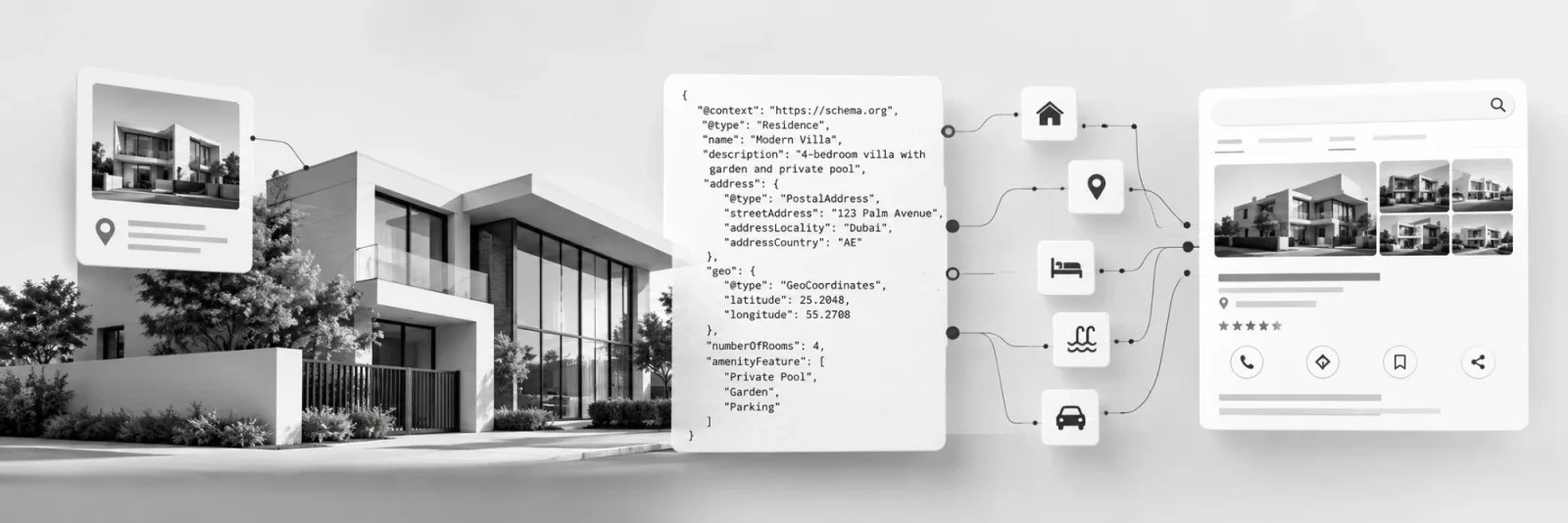
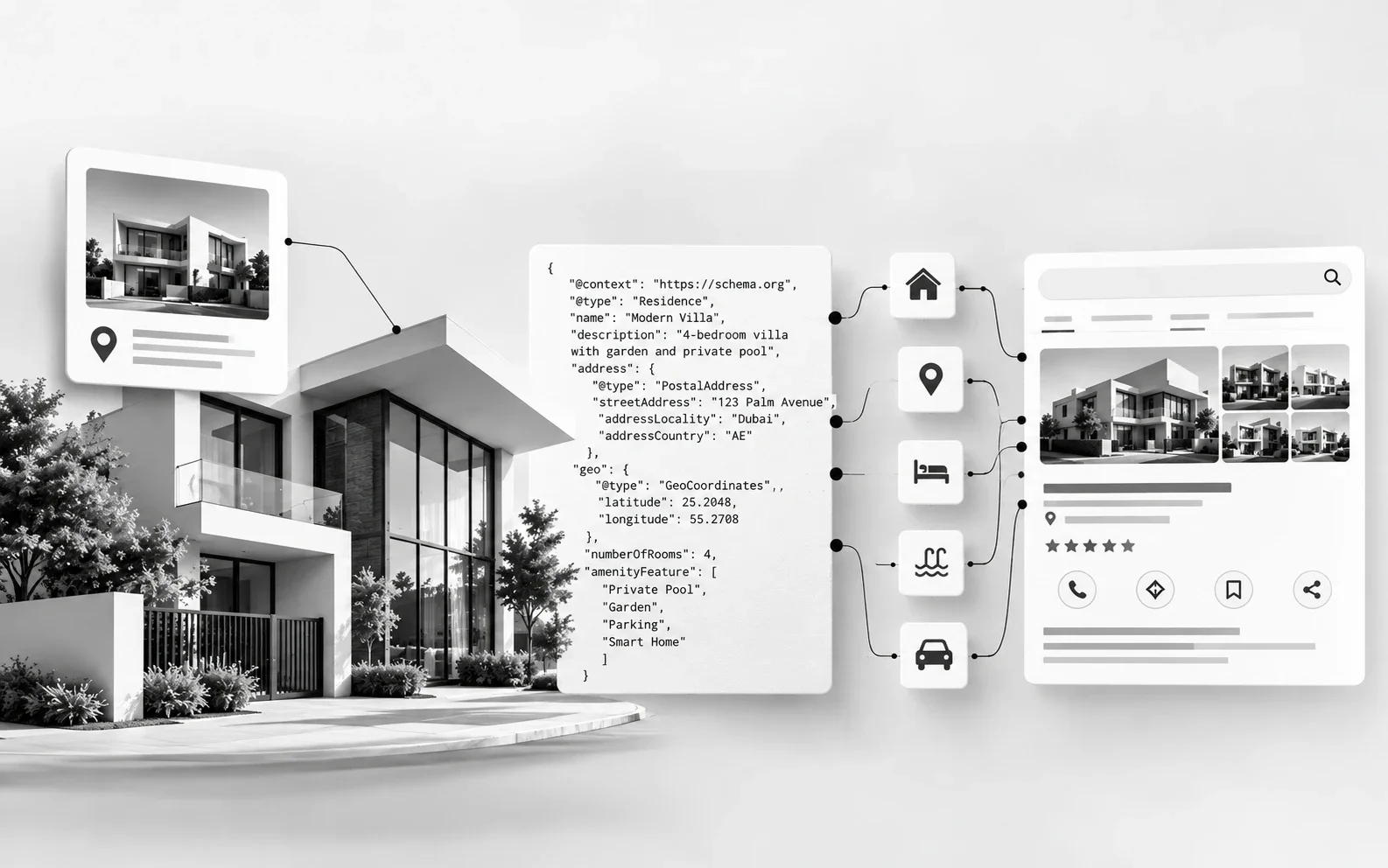
More and more buyers meet your project in an AI answer before they ever reach your website. Whatever Google, ChatGPT or Gemini says about your community, its starting price, its handover and who built it, is assembled from the facts those systems can read most reliably. Schema markup is how a developer makes sure those facts come from its own website, not from a broker listing written two launches ago.
Seven schemas do that job for a property developer's website. Below is what each one covers, where it goes, and how to get it built. No coding knowledge needed.
What does schema markup tell Google about a property for sale?
It tells Google exactly what you are selling, in facts rather than prose. A buyer looks at your project page and sees "3 bed townhouses, from AED 2.4m, handover Q4 2028". Google sees text, renders, brochures and buttons, and has to guess which number is the price and which is the plot size.
Schema removes the guessing. It is a hidden label in the page code that says: this is a residential community in this location, built by this developer; this unit type has three bedrooms and 2,100 sq ft; it is for sale from 2,400,000 AED; it is still available. Visitors never see it. I have called it your website's resume before, and for a project page that is literal: a clean summary of the facts a buyer compares.
Why is schema a must for property developer websites?
Because your project is described in more places than you control, and schema is how your own website becomes the most reliable version. Five reasons it matters more for developers than for most brands:
Brokers outnumber you. A single launch can be listed by hundreds of brokers and portals, each with its own copy, prices and renders. Structured facts on your site help machines identify the developer and the official source.
AI assistants now shortlist communities. "Family villa communities in Abu Dhabi under AED 5m" is increasingly asked of an AI tool, not typed into a search bar. Answers are built from facts that are easy to read and cross-check.
Buyers compare on facts. Starting price, unit types, size, location and handover are how buyers filter projects. Pages that state those facts clearly are easier to match to those searches.
Inventory moves fast. Phases sell out, prices step up between releases. Schema generated from your inventory system keeps search engines current, instead of showing launch prices a year later.
International buyers research remotely. A buyer in London or Mumbai may never visit a sales centre before registering interest. What search and AI tools say about your project is often their first briefing.
Set expectations honestly. Google has no special search display for property listings, FAQ rich results were switched off in May 2026, and stars from your own testimonials are not eligible. The payoff is accuracy and visibility in the places buyers now ask questions, not a prettier snippet.
Schema will not make a weak site rank. It stops a good site from being misunderstood.
The seven schemas every property developer site needs
Diagram
How schema should map a developer's website
The sales hierarchy
Developer
Organization · homepage
↓
Master community
Place / GatedResidenceCommunity · community page
↓
Project
ApartmentComplex or Residence · project page
↓
Unit type for sale
RealEstateListing + Offer (starting price, AED, availability)
Supporting schemas
BreadcrumbList
Every page
LocalBusiness
Each sales centre
VideoObject
Launch films, walkthroughs
WebSite
Homepage site name
Each level links to the one above it, so machines see one portfolio, not scattered pages.
Schema
Where
What to include
Common mistake
Schema
1. Organization
Who the developer is
Where
Homepage
What to include
Legal and brand name, logo, contact details, official social profiles, registration or licence number, parent company where relevant
Common mistake
Brand name differs across the site, Google Business Profiles and investor pages
Schema
2. LocalBusiness
Your sales centres
Where
Each sales centre or gallery page
What to include
Address, map coordinates, phone, opening hours (including Ramadan hours)
Common mistake
Address not copied exactly from Google Maps; closed galleries still listed
Schema
3. WebSite
Your site name in Google
Where
Homepage
What to include
Preferred site name
Common mistake
Plugin or CMS default left in place
Schema
4. BreadcrumbList
How your portfolio is organised
Where
Every page except home
What to include
The buyer's path: Home > Communities > [Community] > [Project] > 3 bed townhouses
Common mistake
Campaign or CMS trails like "Home > LP > Launch-Q3"
Schema
5. Community and project
(Place, GatedResidenceCommunity or ApartmentComplex)
What you are building, and where
Where
Master community and project pages
What to include
Name, location and coordinates, developer, amenities, images, link from each project up to its master community
Common mistake
No schema on project pages at all; community and project described as the same thing
Schema
6. Unit listing
(RealEstateListing + property type + Offer)
What is for sale
Where
Each unit type or available unit page
What to include
Property type (Apartment, Townhouse as House, Villa as SingleFamilyResidence), beds, baths, size, images, starting price in AED, availability, linked to its project
Common mistake
Labelled as "Product"; launch prices never updated; sold-out phases still shown as available
Schema
7. VideoObject
What your films show
Where
Any page with a launch film, walkthrough or construction update
What to include
Title, description, thumbnail, upload date, duration
Common mistake
Only the YouTube copy is marked up, not the video on your project page
Source: author's recommendation, based on Google Search Central documentation and Schema.org.
Unit schema must be generated from your inventory data, never typed by hand. Stale schema is a confident wrong answer.
What does this look like on a real community page?
To make this concrete, I checked one page: The Oasis by Emaar, on 30 September 2026. I picked Emaar deliberately. It is the best-known developer brand in the region with a well-built website, so if the gap shows up here, it is fair to assume it shows up almost everywhere.
The page is not schema-free. It carries a generic WebPage block and an FAQPage block with six questions, which is more than many developer sites have. The issue is which schemas are there, and what they say.
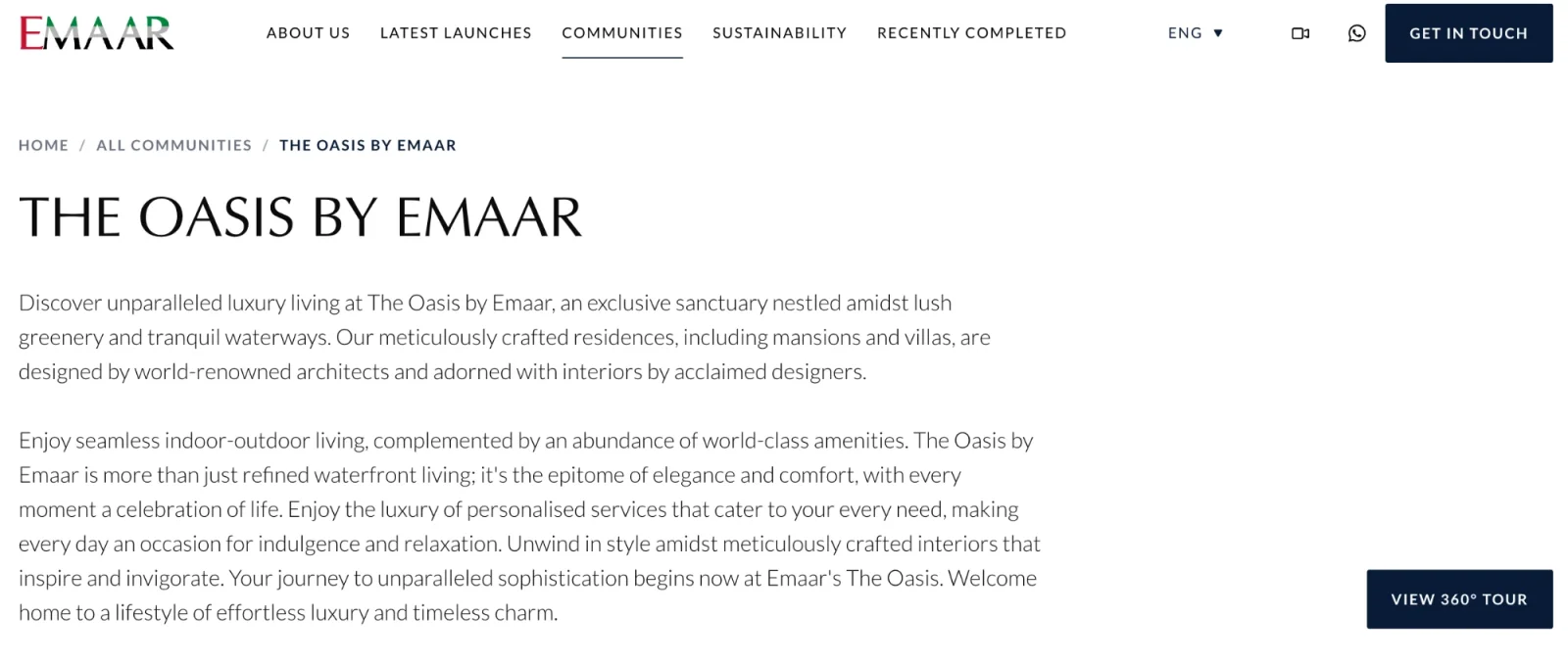
The Oasis by Emaar community page. The breadcrumb is visible to buyers but not marked up for machines. Screenshot taken 30 September 2026.
The most detailed schema is FAQPage, the type Google stopped showing as rich results in May 2026.
The FAQ schema is out of step with the page. It describes 4 and 5 bedroom homes. The page lists nine projects, including Lavita at 6 to 7 bedrooms.
No BreadcrumbList, even though the breadcrumb is right there on screen.
Nothing describes The Oasis as a place: no location, no coordinates, no link between the community and its nine projects. Emaar appears only as a publisher name.
No unit types or starting prices in schema. On the page itself, the sticky bar read "Prices from 0" when I checked.
Checked 30 September 2026
The Oasis by Emaar: what buyers see vs what machines are told
On the page (for buyers)
Breadcrumb: Home / All Communities / The Oasis
9 villa and mansion projects listed
Bedrooms from 4 up to 7 (Lavita: 6 to 7)
Drive times to airport, Dubai Hills, Marina
Sticky bar reads "Prices from 0"
In the schema (for machines)
WebPage: name, description, hero image
Organization: name only, as publisher
FAQPage: says "4 & 5 bedrooms", out of step with the page
No BreadcrumbList, no community or location
No projects, unit types or starting prices
Source: author's check of emaar.com/en/our-communities/the-oasis.
What would I add? The community as a GatedResidenceCommunity with its location and Emaar as developer, each of the nine projects linked to it, unit types with starting prices, and a BreadcrumbList matching the one already on screen. Almost every fact needed is already on the page. It just is not labelled.
This is not a criticism of Emaar's team. It is the industry default: schema added once, usually through a CMS template, and not revisited as launches roll out. If the region's best-known community page leaves this much unsaid to machines, yours probably does too.
What schema does a villa category page need?
A villa category page is the page that lists every villa project you sell, usually at an address like /villas/ or /communities/villas/. It is not one property, so it should not be marked up like one. It is a collection: its job is to point buyers, and machines, to many villas.
The right shape for villa category page schema is a CollectionPage with an ItemList inside it. Each item in the list points to a villa project or unit type page, and that page carries the full schema: property type, bedrooms, size, starting price and availability. The category page only needs to say which villas it lists and where each one lives.
CollectionPage. A name and description that match the page's heading and intro, with your company as publisher, linked to the Organization on your homepage.
ItemList. One ListItem per villa project shown, in the same order as on the page, each with its position, name and the URL of its own page.
BreadcrumbList. The same trail the buyer sees, for example Home > Communities > Villas.
Nothing more per villa. Starting prices, bedrooms and availability belong on each villa's own page, where they are generated from inventory. Repeating them on the category page creates a second copy that drifts out of date.
Here is what that looks like for a developer with three villa projects:
{
"@context": "https://schema.org",
"@type": "CollectionPage",
"@id": "https://www.example-developer.ae/villas/#webpage",
"url": "https://www.example-developer.ae/villas/",
"name": "Villas for sale in Dubai",
"publisher": { "@id": "https://www.example-developer.ae/#organization" },
"breadcrumb": { "@id": "https://www.example-developer.ae/villas/#breadcrumb" },
"mainEntity": {
"@type": "ItemList",
"numberOfItems": 3,
"itemListElement": [
{ "@type": "ListItem", "position": 1, "name": "Palm Grove Villas",
"url": "https://www.example-developer.ae/villas/palm-grove/" },
{ "@type": "ListItem", "position": 2, "name": "Sidra Gardens",
"url": "https://www.example-developer.ae/villas/sidra-gardens/" },
{ "@type": "ListItem", "position": 3, "name": "Lakeside Estates",
"url": "https://www.example-developer.ae/villas/lakeside-estates/" }
]
}
}
Google does not show a special result for property lists, so do not expect a carousel. What the markup does is tell search engines and AI tools that this page is your official list of villas, and which pages hold the facts for each one.
The mistakes I see most often on villa category pages:
Every villa card marked up as a full listing, with prices and offers that contradict the villa's own page a few weeks after launch.
Product or star ratings on the cards. Villas are not products, and ratings from your own testimonials are not eligible.
A list that does not match the page. If the page shows nine villa projects, the ItemList should show the same nine. On paginated lists, each page lists only its own villas.
Sold-out projects still in the list as if they are on sale, after they have been removed from the page or marked as sold out.
Filtered and sorted versions (by price, by bedrooms) each carrying their own schema. Mark up the main category page; filter pages kept out of search do not need it.
The villa category page is a signpost. Its schema should point to your villas, not try to describe them all.
How do you get schema implemented?
Find the gaps. Run your homepage, one community page, one project page and one unit page through Google's Rich Results Test and the Schema Markup Validator. Note which of the seven are missing.
Split the work. Your CMS or an SEO plugin can often handle 1 to 4 through settings. Community, project, unit and video schema usually need your development team or agency, because they pull live data.
Send the brief below.
Test on staging before launch. Errors must be fixed; warnings are optional.
Monitor monthly in Google Search Console, and re-check before every launch. Schema breaks quietly during redesigns and campaign microsites, the kind of technical debt nobody is auditing.
Template
Schema markup brief: [Company name] website
Goal: add Schema.org structured data in JSON-LD format to the website templates so search engines and AI tools can read our company, sales centres, communities, projects, units and videos accurately.
Scope:
Homepage: Organization with legal and brand name, logo, URL, phone, email, official social profile links (sameAs), and our registration or licence number as an identifier. Plus WebSite with our preferred site name.
Sales centre pages: one LocalBusiness per sales centre or gallery, with address, geo coordinates, phone and opening hours matching our Google Business Profiles exactly.
All pages except home: BreadcrumbList matching the visible breadcrumb trail (communities, community, project, unit type).
Community and project pages: Place, GatedResidenceCommunity or ApartmentComplex as appropriate, with name, address, geo, images, amenities, our organisation as developer, and each project linked to its master community.
Category pages (villas, townhouses, apartments): CollectionPage with an ItemList that links to each project or unit type page in the order shown, plus BreadcrumbList. No prices or offers on the category page itself.
Unit pages: RealEstateListing containing the property (Apartment, House or SingleFamilyResidence as appropriate) with bedrooms, bathrooms, floor size, images and a link to its project, and an Offer with starting price, AED currency and availability. Generated automatically from the inventory system.
Pages with video: VideoObject with name, description, thumbnail, upload date and duration.
Rules:
Build into templates, not individual pages. New projects and units must get schema with no manual work.
Schema must match what is visible on the page. When a price or availability changes, the schema updates at the same time.
Sold-out units or phases: update availability or remove the offer, in line with how the page itself is handled.
Do not use Product or review/rating markup on units.
Acceptance: three sample pages of each type pass Google's Rich Results Test and the Schema Markup Validator with zero errors on staging before launch.
Please reply with: an estimate, which items our CMS or plugin can handle without custom code, and a date for the staging review.
Frequently asked questions
01
Which schema should an off-plan project page have?
Which schema should an off-plan project page have?
Describe the project as a place (ApartmentComplex or GatedResidenceCommunity), with your company named as developer, its location and its master community. Then describe each unit type underneath, with its own Offer for starting price and availability. Keep payment plan and handover details in the visible page copy as well, so buyers and machines read the same facts.
02
How should master community and project pages differ?
How should master community and project pages differ?
The master community page describes the destination: location, amenities, schools, access and the list of projects inside it. Each project page describes one development and links back up to its community. This parent and child structure helps search engines and AI tools understand that several launches belong to one address.
03
Should a villa category page use RealEstateListing schema?
Should a villa category page use RealEstateListing schema?
No. RealEstateListing describes one listing. A villa category page lists many, so use CollectionPage with an ItemList that links to each villa project or unit page. Keep the full listing schema, with starting price and availability, on those pages, where it updates with your inventory.
04
What if a unit shows "price on request"?
What if a unit shows "price on request"?
Do not invent a price or add a placeholder figure. Leave the price out of the Offer and keep everything else: property type, size, bedrooms, project and availability. Schema must match what is visible on the page, so if the page withholds the price, the schema should too.
05
What happens to the schema when a phase sells out?
What happens to the schema when a phase sells out?
It should change the moment the inventory changes. Mark the offer as sold out or remove it, in line with how the page itself is handled, and keep the project and community schema live. A sold-out phase still marked as available tells search engines and AI tools something false.
06
Brokers list our projects on the portals. Why do we need schema on our own site?
Brokers list our projects on the portals. Why do we need schema on our own site?
Because broker listings describe your project in their words, with their prices and their photos, and often outlive the launch. Schema on your own site establishes you as the developer and the official source of project facts, which is what you want AI answers and search results to draw on.
07
Should launch events and roadshows have schema?
Should launch events and roadshows have schema?
Yes, if they are real events with a date and a venue. Event schema is supported by Google and suits sales launches, overseas roadshows and sales centre open days. Remove or update it once the event has passed, so buyers are not sent to a launch that has already happened.
08
Do Arabic and English versions of a project page both need schema?
Do Arabic and English versions of a project page both need schema?
Yes. Each language version should carry its own schema, written in that page's language and pointing to that page's URL. The facts (starting price, size, location, developer) must match across both versions. Mismatched details between language versions are a common source of errors on bilingual property sites.
09
Do campaign landing pages and microsites need schema?
Do campaign landing pages and microsites need schema?
If they are indexed and describe a project, yes, and they should point to the main project page rather than compete with it. If they are paid-media landing pages kept out of search, schema matters less. What matters most is that the official project page on your main site carries the complete, current facts.
Want a second pair of eyes on your gap list or brief?